Opens in a new window
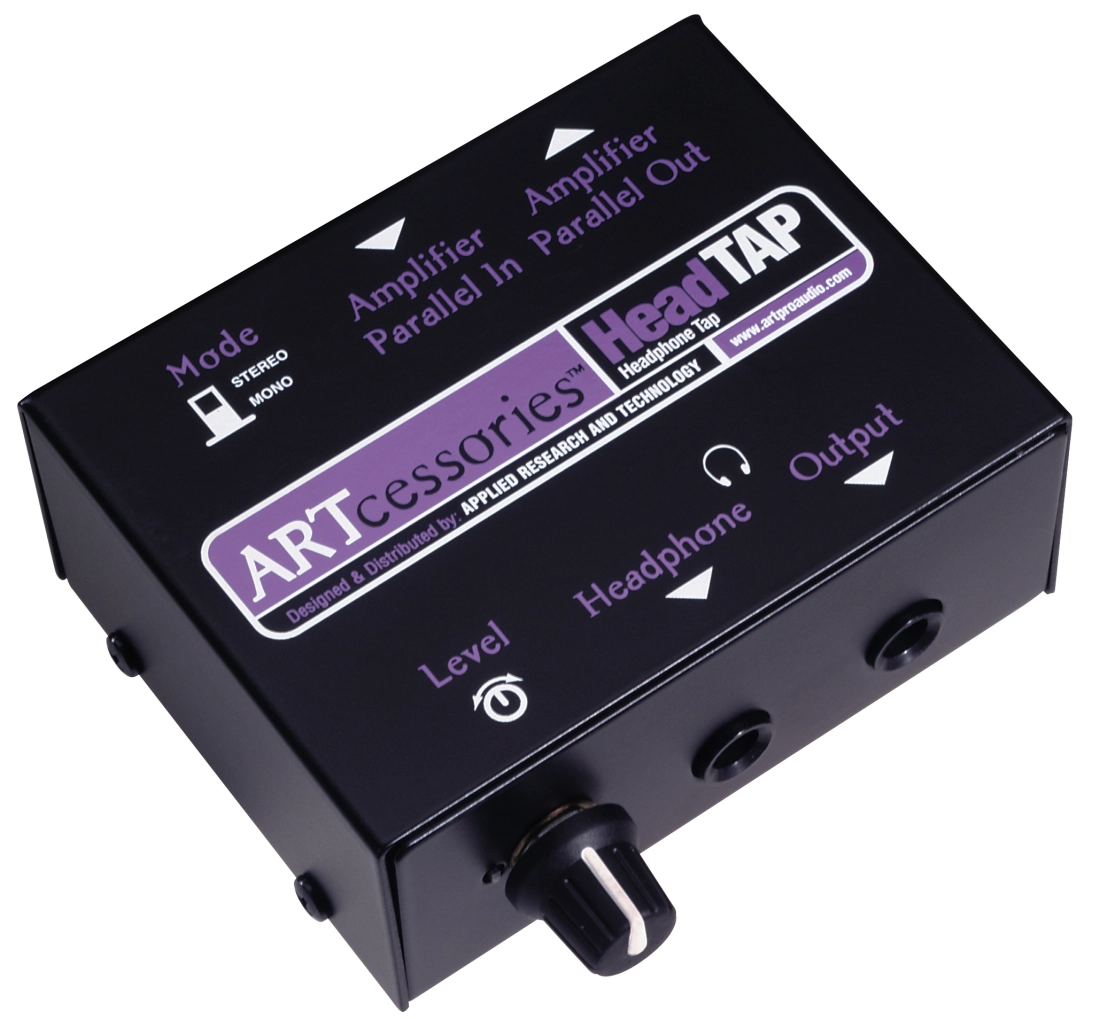
ART Pro Audio Speaker-to-Headphone-Level Adaptor Box Speaker-to-Headphone-Level Adaptor Box


Great Additions
Description
Sometimes floor monitors are a problem. There isn't enough room for them onstage or someone sits in and can't hear the monitors or the drummer can't hear them well enough. Or perhaps it's a pick-up gig or a rehearsal and you didn't have enough time to set them up. In any case, sometimes it would be preferable just to put on headphones and somehow connect them to the PA. That's where a headphone tap comes in. This is a passive device with an input to connect the PA or monitor amplifier and an output to connect the headphones. A volume control regulates the headphone level and internal resistors keep the unit's impedance high enough to protect the headphones. It also protects the amplifier from encountering too low a load impedance while powering tap units, the speaker system or several tap units by themselves. The HeadTAP will also work with a stereo headphone amplifier for use in recording situations when you want to add headphones for additional performers.
Specifications
• Input Level: Stereo/mono input selector button
• Power Requirements: Passive
• Output Jack: Dual 1/4 in stereo/mono headphone jacks
• Instrument Input: Dual parallel 1/4" stereo/mono input jacks
• Dimensions: 3.75x2.875x1.5 inches (95mm x 74mm x 40mm)
• Weight: 0.7lb (317g)
Specifications
• Input Level: Stereo/mono input selector button
• Power Requirements: Passive
• Output Jack: Dual 1/4 in stereo/mono headphone jacks
• Instrument Input: Dual parallel 1/4" stereo/mono input jacks
• Dimensions: 3.75x2.875x1.5 inches (95mm x 74mm x 40mm)
• Weight: 0.7lb (317g)
Q & A
There are currently no questions for this product.
Reviews
There are currently no reviews for this product. Be the first to write one!
Reserve in Store

| Product | SKU | Qty |
|---|---|---|
| Speaker-to-Headphone-Level Adaptor Box | 247827 |