Opens in a new window
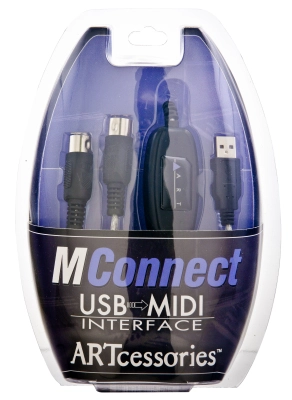
ART Pro Audio MIDI In/Out via USB Cable


Additional Photos:
This product is no longer available.
Great Additions
Description
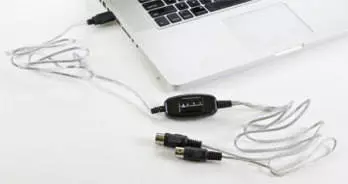
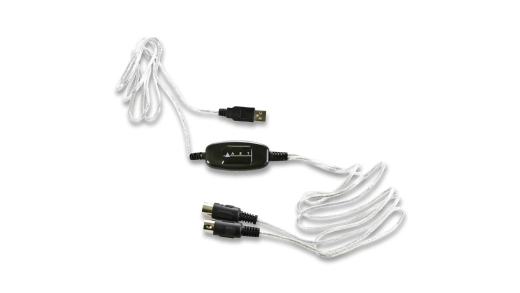
The ART MConnect USB MIDI Cable provides an easy way to directly connect any MIDI device, including musical instruments, controllers and sound modules, to your computer's USB port for convenient use with audio workstation software for music production, recording or sequencing without any extra equipment. The MConnect supports up to sixteen channels in and out. Indicators simplify troubleshooting incoming and outgoing MIDI data. No special drivers are required, just "plug and play" with your Windows PC or Mac.
Simply plug the MIDI In or Out connector (whichever is appropriate) into your device and the USB connector into your computer. That's all there is to it. The first time you connect your MConnect to your computer, all the necessary drivers will be automatically installed and the cable will then be ready to use. The MConnect may be used with any software that supports USB MIDI devices.
Features:
• USB interface for any MIDI device
• Separate MIDI In and Out cables
• Molded cable ends indicate cable function
• LED indicators for power and MIDI In and Out
• Plug and play with Windows and Mac OS
• Three year warranty
Specifications:
• Connectors: DIN5/180 (2), USB "A"
• Number of MIDI channels: 16 in, 16 out
• Length: 6.5 ft (2m)
• Weight: 0.3 lbs (0.14 kg)
Simply plug the MIDI In or Out connector (whichever is appropriate) into your device and the USB connector into your computer. That's all there is to it. The first time you connect your MConnect to your computer, all the necessary drivers will be automatically installed and the cable will then be ready to use. The MConnect may be used with any software that supports USB MIDI devices.
Features:
• USB interface for any MIDI device
• Separate MIDI In and Out cables
• Molded cable ends indicate cable function
• LED indicators for power and MIDI In and Out
• Plug and play with Windows and Mac OS
• Three year warranty
Specifications:
• Connectors: DIN5/180 (2), USB "A"
• Number of MIDI channels: 16 in, 16 out
• Length: 6.5 ft (2m)
• Weight: 0.3 lbs (0.14 kg)
Q & A
Question: Will this interface work with the old Handypad PAD-5 by Roland?
- asked on Jan 3, 2024
- asked on Jan 3, 2024
Answer: Yes. It will work with any device that has traditional MIDI connectors.
- answered by Ron Elliott, Richmond Hill, Ontario
- answered by Ron Elliott, Richmond Hill, Ontario
Question: Would this be compatible with an iPad, if I have a USB-A to lightning adapter? Like can an iPad run this product's driver?
- asked on Oct 2, 2024
- asked on Oct 2, 2024
Answer: This product is class compliant so with the correct physical adapter it should work on IOS.
- answered by Ron Elliott, Richmond Hill, Ontario
- answered by Ron Elliott, Richmond Hill, Ontario
Reviews
There are currently no reviews for this product. Be the first to write one!
Reserve in Store

| Product | SKU | Qty |
|---|---|---|
| MIDI In/Out via USB Cable | 343244 |